


Disfruta television en vivo con Xbox
Obtén deportes, noticias, y más desde $4.99

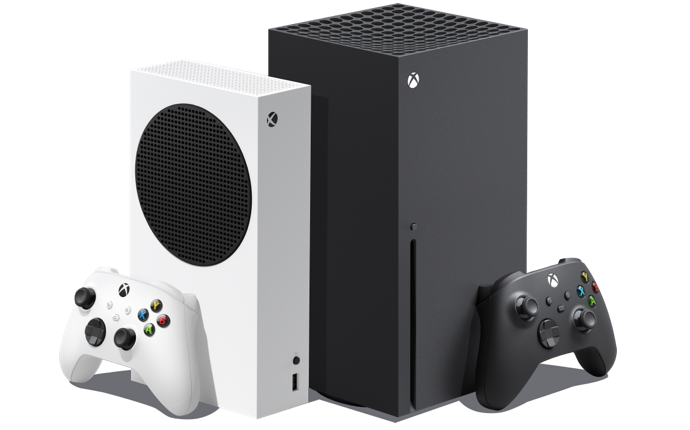
Cambia sin problemas entre juegos y TV en Xbox
Juegos y televisión, el dúo definitivo de entretenimiento, se unen con Sling en Xbox Series X|S y Xbox One. Obtenga acceso a tus series, películas, deportes y noticias favoritas, todo sin cambiar la entrada de tu televisor.
Es sencillo cambiar entre juegos y TV en vivo o deportes — e incluso se pueden recibir invitaciones y mensajes multijugador mientras uno disfruta de sus programas favoritos. Poder reproducir y transmitir TV desde un solo dispositivo también significa menos cables para organizar — y a quién no le gusta eso.

Switch seamlessly between gaming and TV on Xbox
Gaming and television, the ultimate entertainment duo, come together with Sling on Xbox Series X|S and Xbox One. Get access to your favorite series, movies, sports and news all without switching your TV input
Switching between gaming and live TV or sports is simple – and you can even receive multiplayer invites and messages while watching your favorite shows. Being able to play and stream TV from a single device also means fewer cables to organize - and who doesn't love that.

Cómo stream tu Sling TV en Xbox
Configurar tu Sling TV en tu consola Xbox es fácil. Simplemente navega hasta Xbox Marketplace desde el menú de tu consola, luego busca Sling e instala la aplicación. Cuando estés listo para disfrutar de tu contenido en vivo y on demand, simplemente inicia la aplicación Sling e inicia sesión.
Sling es compatible con Xbox Series X, Xbox Series S y con todo los modelos de Xbox One. Disfruta tu TV favorita junto a tus videojuegos favoritos con Sling en Xbox.

Preguntas Frecuentes
Estamos aquí para ayudar! Visite nuestro Centro de Ayuda si tiene más preguntas