Watch Sports or News All At Once with the New Multiview Feature
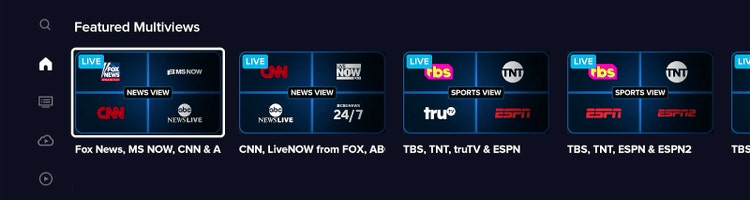
With Sling’s new Multiview feature, you can watch four sports or news channels at once. Here are the details.
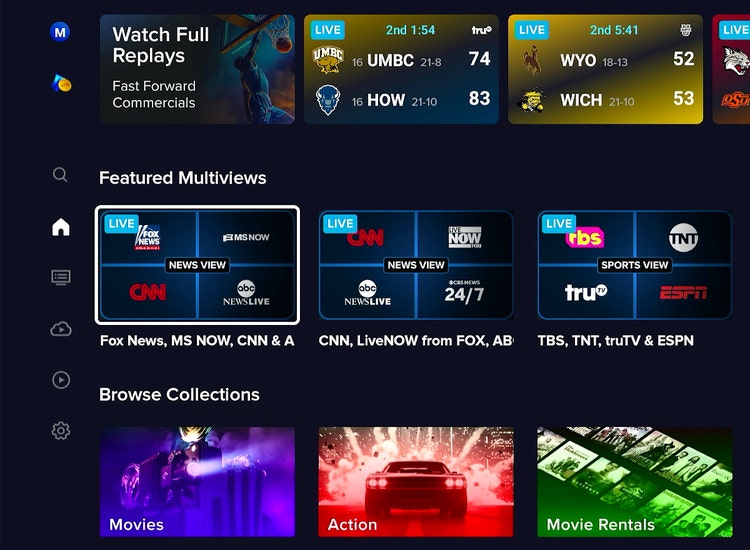
Flexibility and choice are the essence of Sling TV, but sports and news don’t always follow a convenient schedule. If there are multiple games at the same time or a breaking news story you don’t want to miss, Sling has you covered with Multiview! With our curated Multiview collections, you can watch up to four games at once, all on one screen. More of a news junkie? Check out our collection of news channels to stay up to speed on the latest breaking news and current events. Here’s everything you need to know about Multiview on Sling.
To try Multiview for yourself, use the link below to subscribe to Sling Orange + Blue with TBS, TNT, truTV, FS1, ESPN, and ESPN2.
How to Watch Multiview with Sling
https://youtu.be/xyxNS_w1RHI?si=0dYwL2INuue6C-EY
Available for Fire TV, Android TV, Google TV, and Samsung devices, Multiview collects the top sports and news channels into a four-screen package perfect for big tournaments or busy news days. The channels will vary based on your subscription, as well as the major events in sports, but you can expect to see the following channels based on your subscription:
Sling Orange or Day Passes: ESPN, ESPN2, TNT, TBS
- From college and NFL football to the biggest tennis majors, live MLB baseball, NHL games and the NBA, Multiview on Sling Orange means you’ll never have to take your eyes off the ball.
Sling Blue: TBS, TNT, truTV, FS1
- NASCAR, soccer, MLB baseball, and college football, our Sling Blue package includes a ton of live events you won’t ever miss with Multiview.
Sling Orange + Blue: Depending on the event, all of the channels above may appear as part of Sports Multiview.
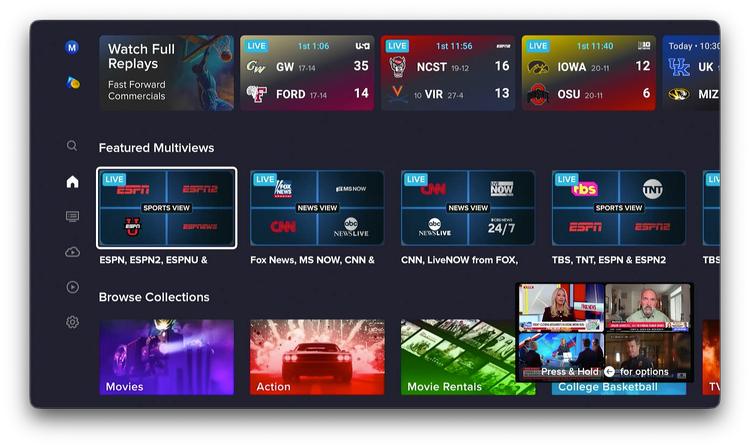
For news, the curated collections will fall along similar lines: Depending on your package, you’ll see the curated multiview channels available to you.
Sling Orange or Day Passes: CNN, LiveNOW from FOX, ABC News Live, CBS News 24/7
Sling Blue: FOX News, MS Now, CNN, ABC News Live
You can find both Sports and News Multiview collections directly on the Sling home screen, though you may need to update the Sling app on your device to see this new feature.
Note: Multiview is not currently supported on the Fire Stick 4K Select with Vega OS.
Multiview FAQs
Can I record multiview channels?
No. Multiview channels cannot be recorded.
How do I change the audio on my multiview channel?
By default, Multiview plays the audio for the tile highlighted in white. To hear a different stream, use your remote to move the focus to a different tile.
Can I choose 4 channels of my own?
Multiview channels are pre-set by Sling and can’t be customized.
Where did my multiview channel go?
If popular events aren’t on, it may not be surfaced in your Sling home page. You can always find Multiview channels by searching for Sports View, News View, or Multiview.
Can I use Multiview with a Day Pass subscription?
Yes! You’ll see the channels available to you in the Multiview collection. Give it a try by subscribing to a 1 Day Pass using the link below.